
This is the print version of this page. All content is copyright Ppted.com 2000-2026.
Explore procedures to use downloaded images in various programs. We also include details on creating your own templates, wherever possible.
Author: Geetesh Bajaj
Product/Version: PowerPoint
Most downloads include PowerPoint templates. However, for compatibility reasons, we also include the background images in the ZIP files you download. Wherever possible, use the PowerPoint templates because they include font and color choices, effects, and layouts in addition to just the backgrounds. Having said so, this page describes procedures to use downloaded images in various programs, with details on creating your own templates, wherever possible.
Choose the application you want to work with:
Microsoft PowerPoint
Apple Keynote
Canva
Corel Presentations
Lotus Freelance
Astound
Open Office, Sun StarOffice
All sets contain readymade Microsoft PowerPoint templates. You can double-click any template file to create a new presentation based on the template. You can also apply these templates to your existing presentations.
BackAll versions of Apple Keynote can open and work with PowerPoint files. All downloaded template ZIP files include both PPTX and POTX files. Additionally, you can use the background images included within the downloaded ZIP files.
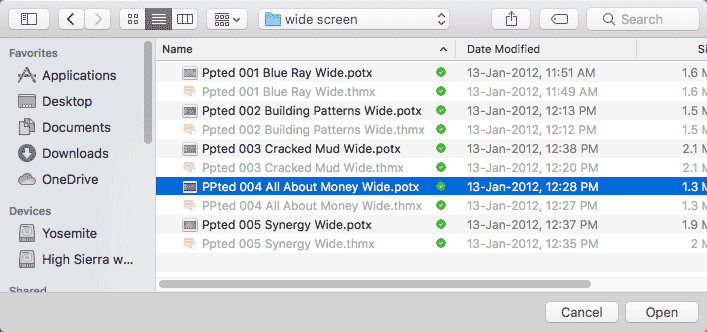
Figure 1: Opening PowerPoint files in Apple Keynote
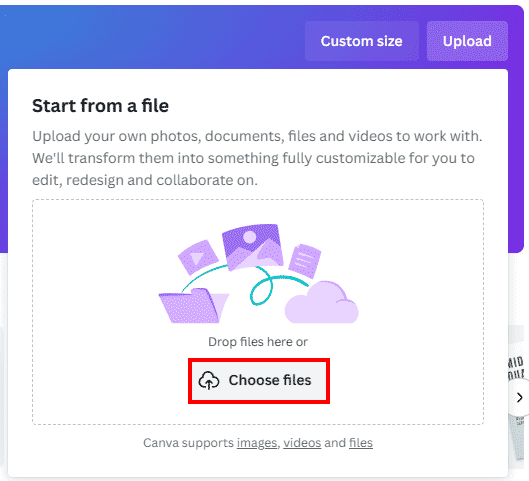
Canva cannot import or open POTX PowerPoint template files. However, you can import your PowerPoint PPTX files following these steps:

With Corel Presentations, newer versions can open PPTX and POTX files straightaway. You can also create a new template on your own.
To place a background, follow these steps:
This procedure works similar for Freelance 97 and Millennium. If you're using Freelance 97 or earlier, you'll need the free JPEG import patch from the Lotus site for these techniques to work.
This technique works with Astound 8.
New Info: The product has been discontinued.
These instructions encompass StarOffice 6
Microsoft and the Office logo are trademarks or registered trademarks of Microsoft Corporation in the United States and/or other countries.